
Customer relationship management (CRM) for small businesses is a collection of tools and data practices designed to organize contacts, track interactions, and support sales and service workflows. At its core, CRM aims to centralize customer records—names, contact details, communication history, and transaction notes—so that small teams can access consistent information. For small business contexts, CRM systems often scale down enterprise concepts into simpler interfaces, preferring streamlined contact views, straightforward activity logging, and compact reporting that matches limited administrative capacity.
Functionally, CRMs for smaller firms typically combine contact management, pipeline visualization, communication logging, and basic automation. These systems may also provide features for task assignment, appointment reminders, and simple integrations with e-mail or calendar services. Because small businesses vary across sectors, CRM functionality tends to be modular: teams may enable only the components they need, and stores of structured customer data are used to support repeatable processes rather than complex analyses.

Contact management modules may include custom fields and search filters that allow small teams to segment customers by purchase history, preferred channel, or service tier. In practical use, consistent data entry standards often matter more than the number of available fields: when teams adopt simple naming conventions and required fields for new records, the data remains searchable and useful. Contact modules also frequently provide activity timelines that collect e-mails, calls, and notes in a single view, which can reduce duplicated outreach or missed follow-ups.
Sales pipeline visualization tools can make the stages of a sales process visible and auditable. For small operations, pipeline stages are often limited to a few clear states—such as lead, qualified, proposal, and closed—but systems can be adjusted to reflect local workflows. Pipeline views may support drag-and-drop movement of deals between stages, estimated revenue fields, and timestamps that record how long a deal stayed in each stage. These elements can help teams identify bottlenecks or tasks that typically precede conversions.
Workflow automation and integrations may reduce repetitive administration by automating routine messages, creating follow-up tasks, or syncing contact records with calendar and billing systems. Automations typically operate on rules such as stage changes, date triggers, or form submissions. Integrations with e-mail providers, payment processors, or scheduling tools enable data to flow between systems, which can keep a single source of truth for customer status. Small teams often weigh the complexity of automations against the ease of maintenance when adopting these capabilities.
Reporting and simple analytics in small-business CRMs often focus on activity metrics—number of leads, tasks completed, or deals in each stage—rather than advanced modeling. Reports may be scheduled or run on demand and often include export options for spreadsheet analysis. For teams with limited analytics expertise, prebuilt dashboards that show conversion rates, average deal age, or communication frequency can provide practical insights. Careful attention to which metrics are tracked helps avoid clutter and focuses efforts on repeatable improvements.
In summary, CRM for small business describes a set of features and practices that centralize customer data, visualize sales progress, and automate routine tasks to support consistent operations. The examples above—contact management, pipeline visualization, and workflow automation—represent common modules that are typically combined in small-business deployments. The next sections examine practical components and considerations in more detail.
Contact management in small-business CRM typically organizes individual and organizational records with structured fields and activity logs. Common elements include configurable contact fields, tags or labels for segmentation, and a chronological timeline that aggregates e-mails, calls, and notes. For many small teams, quick-search functionality and basic deduplication routines are valuable because they reduce time spent reconciling multiple entries for the same person. Privacy and data governance considerations are also relevant: teams may set permissions to limit who can view sensitive fields and ensure that personal data handling follows local legal requirements.
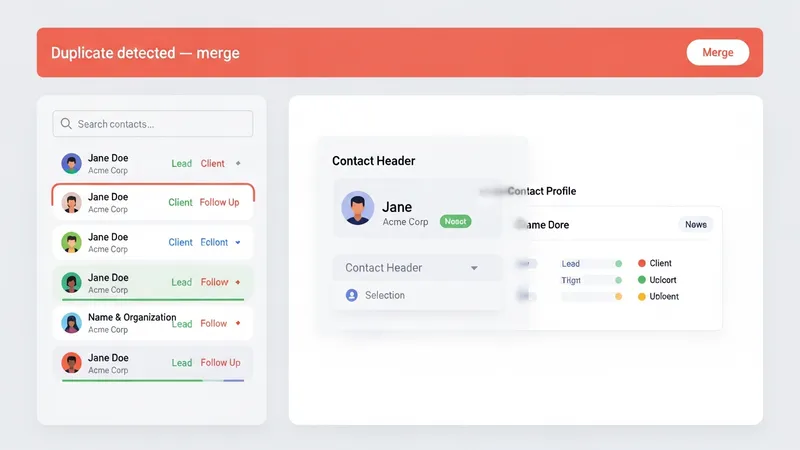
Data quality practices often determine how useful contact modules become over time. Simple standards—such as requiring a source field for each new record or enforcing a consistent format for phone numbers—may reduce errors. Small businesses sometimes adopt minimal validation rules to avoid blocking legitimate entries while still prompting cleaner data. Export and import capabilities are frequently used for initial population of contacts; these features often include mapping tools that match CSV columns to CRM fields and offer preview steps to reduce import mistakes.
Integrations tied to contact management commonly include e-mail clients, calendar systems, and lead capture forms. When set up, these integrations can automatically attach e-mail threads to contact records, log meeting outcomes, or create new records from web inquiries. For smaller teams, lightweight integrations that require little maintenance tend to be preferred because they lower ongoing operational overhead. Teams should treat integrations as data flows that need occasional review to confirm they are still mapping correctly and not creating duplicate records.
Operationally, contact management features support coordination among team members by assigning ownership and setting reminders for follow-up. Ownership fields and shared activity lists can clarify responsibility without requiring frequent meetings. In small firms where staff roles overlap, the CRM’s audit trail of interactions can also provide context for handoffs. Overall, contact management is a foundational module that may influence how other CRM components—pipeline tracking, automations, and reporting—function in practice.
Sales pipeline tracking in small-business CRMs often presents opportunities as items moving through defined stages; the terminology may vary but the concept is consistent: assign a stage, set next steps, and update status as interactions progress. Visual representations such as board or funnel views help teams quickly assess active deals and prioritize work. Task management features linked to pipeline entries commonly create action items—calls, proposals, or demos—with due dates and assignment fields. These task links keep the operational steps connected to the associated customer record.

Designing pipeline stages for a small business usually involves balancing detail with simplicity. Too many stages can increase administrative burden, while too few may obscure where deals stall. Typical practice is to map only the meaningful decision points and to include a field for next action and expected close date. Tracking timestamps for stage transitions can provide a rudimentary measure of deal velocity, which may help identify stages that often require additional resources or changes in process.
Task management within the CRM may include reminders, recurring tasks, and simple escalation rules. For small teams, recurring task templates can keep routine outreach consistent without excessive manual scheduling. Escalation rules are often basic, such as flagging tasks that pass due dates or reassigning ownership when primary contacts are unavailable. When task management integrates with personal calendars or mobile notifications, teams can maintain momentum on deals while reducing the need to switch between separate tools.
From an operational viewpoint, combining pipeline tracking with task management encourages documented workflows and reduces dependence on individual memory. Small teams that use these features often find that visible pipelines and assigned tasks improve accountability and reduce duplicated work. It is typical for organizations to periodically review pipeline definitions and task templates to ensure they still reflect the current selling process and to adjust for shifts in customer behavior or product offerings.
Customer communication features in CRM systems may include e-mail logging, templated messages, SMS connectors, and in some cases, chat integrations. These elements are intended to centralize correspondence so that team members view a unified history and avoid inconsistent messaging. Automation features often complement communications by triggering follow-up messages after events such as form submissions, stage changes, or invoice issuance. Automations are typically rule-based and may perform actions like creating tasks, sending notifications, or updating record fields to reflect status changes.

When implementing automations, small teams typically consider maintenance complexity and error handling. Simple automation rules—such as sending a confirmation message after a contact form is received—often produce clear benefits with limited upkeep. More complex sequences may require conditional logic and periodic review to ensure that branches remain relevant. Testing automations on a small subset of contacts before broad application can help catch unintended consequences, such as duplicate messages or incorrect field updates.
Integrations connect CRM data with external systems like billing, calendar, e-commerce, or marketing platforms. For smaller organizations, commonly used integrations include e-mail providers to capture correspondence, calendar syncs to record meetings, and payment processor links to attach transaction history to customer records. Integration choices often prioritize reliability and low operational overhead; teams may select connectors that offer straightforward mapping and logging, and periodically audit integration logs to confirm data consistency across systems.
Practical considerations include data mapping, error monitoring, and governance. Mapping ensures that fields in connected systems align semantically so that, for instance, a billing record’s customer identifier matches the contact record in the CRM. Error monitoring—such as reviewing failed syncs or queued messages—helps prevent data divergence. Governance measures, including access controls and periodic data cleanups, can help maintain data integrity as automations and integrations expand the flow of information between systems.
Reporting in small-business CRM tends to focus on actionable summaries: pipeline health, activity counts, and basic revenue-related snapshots. Dashboards commonly present deal totals by stage, recent activity per team member, and simple trend lines for lead volume. Data organization supports these reports through consistent fields, tags, and date-stamped activities. For teams without dedicated analysts, the emphasis is often on readable visuals and exportable data for further examination in spreadsheets when needed.
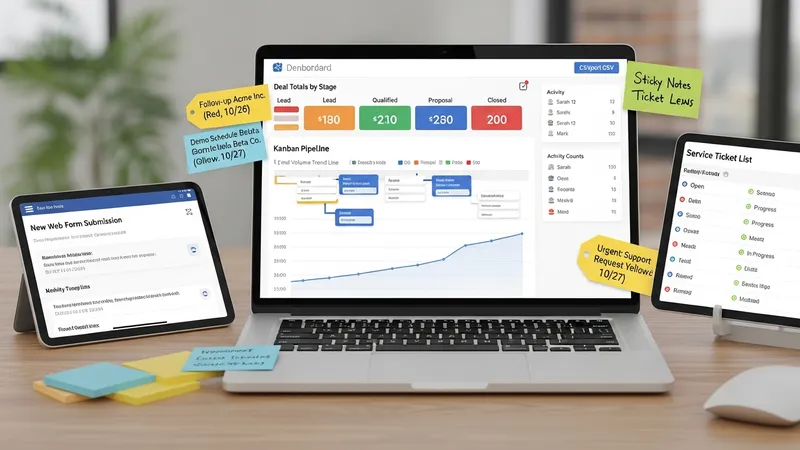
Common use cases for CRM in small businesses include lead capture and qualification, service ticket tracking, repeat-customer management, and simple marketing follow-up. In practice, a CRM can be configured to accept inbound leads from web forms, assign a qualification task, track subsequent proposals in the pipeline, and then record post-sale interactions for customer support. These workflows illustrate how a relatively small set of features can cover multiple business needs when data is structured and processes are consistent.
Data organization strategies that may help small teams include using a limited set of standardized tags, keeping required fields compact, and periodically merging duplicate records. Standardization reduces ambiguity in reporting and makes automation rules more reliable. Regular maintenance—such as monthly reviews of recently added records or checking for badly formatted contact information—can extend the practical usefulness of CRM data without requiring large resource investments.
When evaluating reporting and use cases, small businesses often consider the effort required to collect and maintain data versus the clarity gained from the reports. Paying attention to a few meaningful metrics and aligning those metrics with daily operational tasks can make CRM reporting more actionable. Continuing practical review of workflows and data structures may help ensure the CRM remains aligned with changing customer interactions and business priorities.